Start
Claim free rewards
Open Grow A Garden 2 codes first, then plant the reward crop before spending Sheckles.
 GaG2 WikiCrops, seeds & systems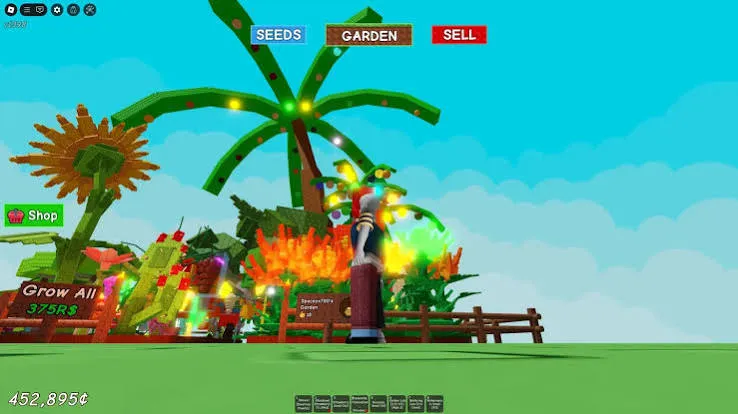
Fan-made Roblox farming wiki and walkthrough
Use this wiki while you play: claim free seeds, check shop stock, choose crops, follow the beginner walkthrough, wait for useful weather, calculate value, and protect rare harvests before night.
Start here if you searched for a Grow A Garden 2 wiki and need the whole game at a glance. This overview connects the game basics to the guides, tools, and walkthrough routes below.
| Game name | Grow A Garden 2 |
|---|---|
| Platform | Roblox |
| Genre | Farming, tycoon, trading, defense, social play, and progression |
| Core loop | Buy seeds, plant crops, wait for growth or weather, defend valuable harvests, sell, and reinvest. |
| Main systems | Codes, seeds, crops, stock, pets, gear, props, guilds, weather, mutations, stealing, and values. |
| Best first action | Redeem TEAMGREENBEAN, then check Seed Shop stock and seed base prices. |
| Data style | Fan-made guide with confirmed, reported, conflicting, unknown, and GAG1-reference labels. |
Grow A Garden 2 is a Roblox farming game where your next decision usually matters more than a long list of item names. You buy seeds, plant crops, wait for growth, react to weather, use pets and gear, and decide whether to sell, hold, or protect a valuable harvest.
This wiki is written for that play loop. Instead of only listing crops, pets, gear, and weather, each guide tries to answer what you should open next: claim a code, compare seed prices, check stock, choose a crop, watch a mutation, calculate value, or defend a rare crop before another player can steal it.
Start
Open Grow A Garden 2 codes first, then plant the reward crop before spending Sheckles.
Progress
Use seed prices and the Seed Shop route before buying rare or rotating stock.
Profit
Check weather, mutations, and the value calculator before selling a valuable crop.
Choose a route
Pick the action that matches your current garden. Each route sends you to the guide you need next, then keeps you moving toward planting, selling, or protecting.
Start here if you have not redeemed TEAMGREENBEAN yet.
Claim codesUse this when Sam has new stock and you do not want to waste Sheckles.
Check Seed ShopUse this when a crop is heavy, rare, mutated, or exposed in a public server.
Calculate valueUse the tools
Start from the wiki hub, then compare value, ROI, and sell timing before you spend Sheckles or hold a crop through night.
Use this walkthrough table if you want the same kind of guide index you see on large wiki and walkthrough pages, but with direct player actions instead of generic category names.
| System | Open this guide | Use it when | Next action |
|---|---|---|---|
| Codes | Active codes | You just joined or want free seeds. | Redeem TEAMGREENBEAN, then check Green Bean. |
| Plants and seeds | Seeds list and crops list | You need price, rarity, harvest type, or crop value. | Compare base price before buying from Sam. |
| Shops and stock | Stock timer and Seed Shop | You are waiting for a five-minute restock. | Watch the timer, then buy only if the seed fits your route. |
| Pets | Pets list | You want growth, defense, movement, or stealing help. | Pick the pet role that protects your current crop value. |
| Gear | Gear list and Gear Shop | You need sprinklers, defense tools, props, or social gear. | Buy farming upgrades before cosmetic or social items. |
| Weather and mutations | Weather events and mutations | A rare event starts or a crop gets a special effect. | Check multiplier status before selling or holding. |
| Defense and stealing | Night stealing | You are holding a rare or mutated crop in a public server. | Protect first, then calculate value before selling. |
Live tool
Estimated next restock around --:-- (your local time). The Seed Shop runs on a 5-minute cycle aligned to the clock; in-game timing can differ by a few seconds, so use this as a guide and confirm with the in-game countdown.
Start here
Most players arrive at the Grow A Garden 2 wiki with one urgent question: what should I do next? Use this route box to jump into the page that matches your current goal instead of scanning every guide.
Check the active code first so you do not miss free Green Bean Seeds before planting.
5-minute loop Check Seed Shop stockUse the restock guide before spending Sheckles on random seed stock.
Money route Plan crops for profitMove from starter crops into Bamboo, Green Bean, and higher-value farming targets.
Sell or wait Check weather and mutationsWeather can change the best time to sell rare crops, so check it before harvesting.
This route is designed for short sessions: claim, buy, plant, wait for weather, then calculate before selling.
This fan-made GAG2 wiki is organized like a walkthrough hub: use the coverage blocks to jump from a game system to the next player action.
Check active rewards before spending Sheckles.
🌱Seeds & pricesCompare seed base prices, rarity, source, and harvest type.
🌽Crops & valuesMove from seed choice to crop value and sell timing.
🌦Weather & mutationsCheck events before waiting or selling a rare crop.
🎒Gear & propsPlan protection, tools, sprinklers, and social gear.
🐾Pets & defenseCompare helper roles before protecting valuable crops.
🧰Shops & buy orderUse Seed Shop and Gear Shop routes before spending Sheckles.
🌙Stealing & night defenseProtect rare harvests before public-server risk rises.
In-game visuals
These local screenshots make the starting route feel closer to the game and give players visual paths into crops, seeds, gear, and money farming guides.
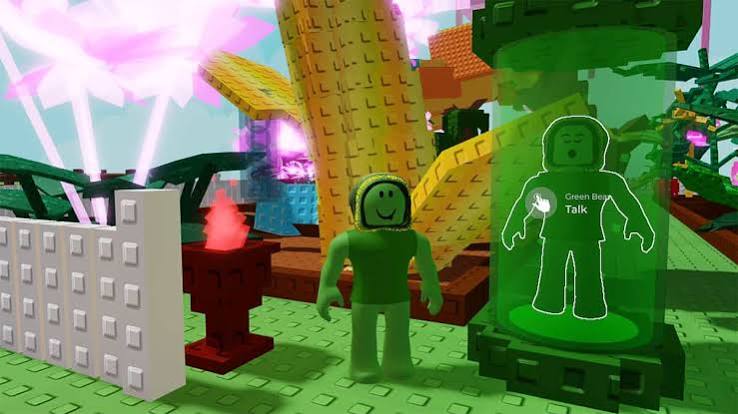
Start with the garden loop: plant crops, check shops, then sell at the right time.
Use the Seed Shop path before spending Sheckles on new stock.
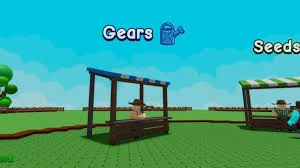
Gear and seeds connect directly to money farming and garden defense.

Move into money farming once starter crops are too slow.
Use these player-facing checks before you redeem codes, buy seeds, wait for weather, protect a crop, or use the value calculator.
2026-06-21
Start with TEAMGREENBEAN, compare seed base prices, then use the stock timer before buying from the Seed Shop.
2026-06-21
Use pets, gear, crop value, and money farming pages together when you need to sell, protect, or reinvest after a harvest.
2026-06-20
Check weather and mutations before selling rare crops, then use gear, pets, and night-defense pages if the crop is worth protecting.
Visual shortcuts
These image cards connect the starting route to the guides players usually open after seeing a crop, seed, pet, or weather effect in-game.

Check why Bamboo is treated as an early money target and when to move beyond it.
Use the TEAMGREENBEAN reward page after checking active codes.
See why Bloodlit is a high-impact mutation and how Blood Moon notes connect.
Check pet defense notes before rare crops are ready to steal or sell.

Use the Megaphone page if you want Roblox Sound IDs instead of farming profit.
Compare rarity, source, price notes, and data status.
🎋Check money cropsBamboo is a reported early-to-mid farming target.
🎁Claim code rewardsTEAMGREENBEAN is the confirmed launch code in the available GAG2 info.
🔥Track Super cropsSuper-tier crops are likely to matter for late-game value.
🩸Check BloodlitThe strongest named GAG2 launch mutation in the available info.
Bloodlit, Electric, Starstruck, Rainbow, Frozen, and GAG1 reference warnings.
🌦WeatherRain, Lightning, Rainbow, Snowfall, Starfall, Midas, Blood Moon, and seed events.
🎒GearPower Hose, Freeze Ray, Megaphone, Props, sprinklers, and GAG1 warnings.
🌿Seed Shop5-minute restocks, confirmed prices, and best seeds to watch.
🐾PetsDeer, Bee, Bunny, Raccoon, Frog, Owl, and launch pet mechanics.
💰Value CalculatorEstimate value with weight and single-mutation GAG2 rules.
🏆Crops Tier ListBest crops ranked by value potential with reliability badges.
🧰Gear ShopGeorge, 5-minute restocks, rotating stock, and best buy priorities.
💧SprinklersSprinkler tiers, stacking warnings, and farming setups.
📈Money FarmingBeginner, mid-game, and late-game Sheckles strategy.
Most strong Grow A Garden 2 sessions follow the same pattern: claim the free reward, check the shop timer, buy seeds with a plan, wait for useful weather, then sell or defend based on value. Use these tips before jumping into a long guide.
| Tip | Why it matters | Best page |
|---|---|---|
| Check codes before buying seeds. | A free crop reward can change your first planting route. | Codes |
| Compare base price before chasing rarity. | A rare seed is not automatically the best early profit choice. | Seeds |
| Use the five-minute shop loop. | Stock changes quickly, so buying late can waste Sheckles. | Stock tracker |
| Do not sell a rare crop blindly. | Weather and mutation status can change the best sell timing. | Value calculator |
| Protect before you go AFK. | Public-server stealing makes valuable harvests risky to hold. | Defense guide |
The Grow A Garden 2 wiki is built around the questions players usually ask first: which crop should I plant, which seed should I buy, which code still works, which weather event is worth waiting for, and which gear helps protect a garden from thieves. Start with Grow A Garden 2 codes if you want free seeds, then use the Grow A Garden 2 Seed Shop guide before spending Sheckles on rare stock.
New players should follow a simple path. Claim the active code, plant low-cost seeds, sell early harvests, check the Seed Shop every five minutes, and slowly move into higher-value crops. Once you understand crops, the next step is learning weather and mutations. Weather can change a normal harvest into a much better sale, but Grow A Garden 2 does not use the same stacking logic as older Grow a Garden guides, so this player guide keeps old advice separated from GAG2 launch facts.
| Player question | Best guide | Why it helps |
|---|---|---|
| What codes can I redeem? | Grow A Garden 2 Codes | Shows active codes, expired codes, and how to redeem rewards. |
| Which crops are worth planting? | Grow A Garden 2 Crops | Compares crop rarity, seed source, and money-farming value. |
| What seed should I buy next? | Grow A Garden 2 Seeds | Lists seed prices, rarity, harvest type, and best use. |
| Which weather event matters? | Grow A Garden 2 Weather Events | Explains Rain, Lightning, Rainbow, Snowfall, Starfall, Midas, and Blood Moon. |
| How much is my crop worth? | Grow A Garden 2 Value Calculator | Gives an estimate while warning when GAG2 data is still incomplete. |
Begin with the guides that answer immediate gameplay decisions. The Grow A Garden 2 codes guide gives the quickest reward check. The Grow A Garden 2 Seed Shop guide explains the five-minute restock loop, so you know when to check for Tomato, Apple, Bamboo, Corn, Moon Bloom, or other rare stock. The Grow A Garden 2 crops guide helps you choose what to plant before a weather window instead of wasting a good mutation on a low-value crop.
After that, move to system guides. The Grow A Garden 2 mutations guide explains why no-stacking matters. The Grow A Garden 2 weather events guide shows which weather can improve growth, spawn seeds, or apply mutations. The Grow A Garden 2 gear list and Gear Shop pages help you decide when to buy sprinklers, props, Freeze Ray, or other tools. The Grow A Garden 2 pets list helps you compare growth, defense, movement, and stealing bonuses.
Because Grow A Garden 2 launched recently, not every price, multiplier, pet ability, or shop rule is final. The safest pages mark each claim as confirmed, reported, conflicting, or unknown. That helps players avoid bad decisions, such as buying an expensive seed because an old Grow a Garden 1 guide said it was best, or using a calculator formula that still assumes mutation stacking.
When a value is uncertain, the guide explains what to do instead. For example, if a crop price is unknown, compare rarity and source before buying. If a mutation multiplier is conflicting, treat it as a planning warning rather than a final calculator number. If a GAG1 item appears in the gear list, check whether the GAG2 page marks it confirmed before spending Sheckles around it.
The best first guide is Grow A Garden 2 Codes if you have not claimed rewards yet, then Grow A Garden 2 Seed Shop if you are deciding what to buy.
Some pages include Grow a Garden 1 reference sections, but GAG1 mechanics are marked separately so players do not confuse old stacking, egg, or sprinkler advice with confirmed GAG2 rules.
Use Grow A Garden 2 Money Farming, Grow A Garden 2 Crops, and the Grow A Garden 2 Value Calculator together.
The Grow A Garden 2 Weather Events guide explains Rain, Lightning, Rainbow, Snowfall, Starfall, Midas, Rainbow Seed, and Blood Moon.
Use the Grow A Garden 2 wiki like a checklist before each play session. First, check codes for free seeds. Second, check Seed Shop stock before spending Sheckles. Third, plant crops that match your goal. Fourth, watch weather before selling high-value crops. Fifth, protect rare harvests with pets, gear, or smart placement. This path keeps the Grow A Garden 2 wiki useful for real play instead of turning it into a long list of names.
The Grow A Garden 2 wiki also keeps related pages close together, so players can move from a crop to its seed, from a mutation to its weather event, and from a shop item to the strategy that uses it.
Before leaving the garden, use the Grow A Garden 2 wiki to confirm one small action: claim any active code, check the five-minute Seed Shop restock, compare the next crop upgrade, and protect anything valuable before rare weather starts. That routine keeps this guide useful during real play, not just as a reference list.
Start with the action you want to take next. A new player usually needs a short route: claim a free reward, plant the reward crop, check Sam's Seed Shop, then turn a stronger crop into Sheckles. A safe first path is Codes → Green Bean → Seed Shop → Bamboo → Money Farming.
If you are already past the first few minutes, switch from beginner steps to crop decisions. Compare weather events, mutations, gear, pets, and the value calculator before you sell, wait, or protect a valuable crop from night stealing.
| Player situation | Best first click | Then continue to | Why this keeps the session useful |
|---|---|---|---|
| Just joined the game | Codes | Green Bean | Free seeds create an immediate next action instead of passive reading. |
| Has a few Sheckles | Seeds | Seed Shop | Seed data becomes more useful when connected to the shop timer. |
| Wants better profit | Bamboo | Money Farming | Bamboo is a clearer early money checkpoint than another common crop. |
| Has a valuable crop | Weather | Value Calculator | The player needs to decide whether to sell now or wait. |
| Plans to AFK | Gear | Pets | Public-server night stealing makes protection and private-server planning relevant. |
The screenshots help you recognize the next stop in the farming loop: find the shop, check a crop, look at a garden layout, then sell or calculate value. A Seed Shop screenshot means it is time to check the five-minute restock route. A crop field screenshot means it is time to compare crop value and selling risk. A code or Green Bean visual means you should claim the reward before spending Sheckles.
Use each visual card as a play-session shortcut. Open the topic that matches your current action, read the decision table, then move to the next farming step instead of guessing what to do in-game.
Active code route
Use the current Green Bean reward as your first free crop check, then decide whether to plant, save, or move toward Bamboo.
TEAMGREENBEAN View all Grow A Garden 2 codes Next steps
Choose the next action that matches your play session: claim the code, check stock, plant Bamboo, or calculate before selling.
Guide directory
Use this directory when you are not sure whether to redeem, buy seeds, plant crops, defend your garden, wait for weather, or sell.
Video guide
Use this video as a quick visual companion for the guide, then check the tables and FAQ for current Grow A Garden 2 details.
Near-launch GAG2 overview; compare the checked tables before spending Sheckles.