
Is this Grow A Garden 2 wiki official?
No. It is a fan-made player guide and is not affiliated with Roblox Corporation or the game developers.
 GaG2 WikiCrops, seeds & systems
 Fan-made player guide
This guide is useful for players who want quick Grow A Garden 2 decisions: what code to redeem, which seed to buy, which crop to plant, when to wait for weather, and when to sell a valuable harvest.
How to use this Grow A Garden 2 guide
Do not try to read everything at once. Pick the action you are about to take, open the matching guide, then follow the next crop, seed, weather, mutation, pet, or gear link when it matters.
Check active and expired code notes before planting.
Buy Choose a seedUse shop and seed pages before spending Sheckles.
Plant Compare cropsOpen crop detail pages for value, rarity, and best-use notes.
Sell Estimate valueCheck weight and mutation notes before selling valuable crops.
This is a fan-made guide, so uncertain details are labeled instead of being presented as guaranteed facts.
Best first pages
These image links send new players to guides that answer practical questions quickly.
Site visuals
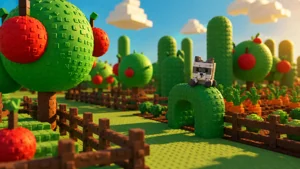
Use these visuals as a starting point when you are deciding whether to redeem, buy, plant, sell, or protect crops.
The guide covers crops, seeds, Seed Shop stock, codes, weather events, mutations, gear, pets, sprinklers, money farming, and the value calculator. Pages are connected so players can move from one decision to the next without returning to search.
Because Grow A Garden 2 launch information changes quickly, some values are marked as confirmed, reported, conflicting, or unknown. That helps players avoid confusing Grow A Garden 2 facts with older Grow a Garden 1 advice.
No. It is a fan-made player guide and is not affiliated with Roblox Corporation or the game developers.
Use the guide to check crops, seeds, codes, weather, mutations, gear, pets, and value decisions before spending Sheckles or selling rare harvests.
Those labels help players avoid treating uncertain launch information or older Grow a Garden 1 mechanics as confirmed Grow A Garden 2 facts.
New players should start with codes, Seed Shop, seeds, crops, and money farming before moving into weather, mutations, pets, and gear.
Grow A Garden 2 information changes quickly. Some facts are easy to verify, such as an active code, a visible shop timer, or a seed name in the Seed Shop. Other details, such as exact crop grow time, mutation ceiling, or conflicting resale values, can change by source. Reliability labels help you avoid making expensive decisions from weak information.
When a note says confirmed, it should be safe to use for a basic decision. When it says reported, the information is useful but should still be checked in-game. When it says conflicting, slow down before spending Sheckles or Robux. When it says unknown, choose the safer next step instead of guessing.
| Label | Player meaning | Example action |
|---|---|---|
| Confirmed | Strong enough to use for normal play decisions. | Redeem the active code or follow a visible shop timer. |
| Reported | Useful but still worth checking in-game. | Compare a seed price or crop value before buying heavily. |
| Conflicting | Sources disagree. | Do not build a whole money route around it yet. |
| Unknown | No reliable value found. | Use safer crops or wait for better data. |
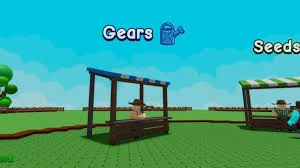
Each page is built around a simple play decision. If you need a free reward, open Codes. If you are buying, open Seed Shop. If you are planting, open Crops. If you are selling, open the Value Calculator. If you are waiting, open Weather. If you are protecting crops, open Gears and Pets.
This route helps you avoid scanning everything at once. During a live game session, you may only have a few minutes before a restock, a weather event, or a crop sale, so start with the page tied to your next action.
Active code route
Use the current Green Bean reward as your first free crop check, then decide whether to plant, save, or move toward Bamboo.
TEAMGREENBEAN View all Grow A Garden 2 codes Next steps
Use this shortcut to open the guide that matches what you are about to do.
Guide directory
Use this directory when you are not sure whether to redeem, buy seeds, plant crops, defend your garden, wait for weather, or sell.
Video guide
Use this video as a quick visual companion for the guide, then check the tables and FAQ for current Grow A Garden 2 details.
Near-launch GAG2 overview; compare the checked tables before spending Sheckles.